ERP Consulting
We help you decide whether Odoo is the right system, what it should cover first, and how to structure a project that your team…
Removing the manual steps between your systems and inside Odoo, so work happens once, in the right place, without re typing.
Most companies do not have a shortage of software. They have a shortage of connections between the software they own. Orders are copied from a web shop into the ERP. Bank statements are matched by hand. Delivery notes are typed into a carrier portal. Each step is small, and together they occupy people who could be doing something else.
Process automation is the work of removing those steps. Some of it is integration between Odoo and other systems. Some of it is configuration inside Odoo that most companies never switch on. A smaller part is custom development where the standard tools genuinely stop.
We sit with the people doing the work and record each step, the systems involved, the time taken and the failure points.
Each candidate is scored on hours saved, error reduction and effort to build. You choose the order.
Standard configuration first, integration second, custom development last. Each automation is tested with your data and with the exceptions we found in mapping.
Documentation, training for the process owner and a review after the first month with the numbers.
Not everything should be automated. Decisions that need judgement, exceptions that occur a few times a year, and processes that are about to change are usually better left to people. We will say so when that is the case, and we will suggest a manual checklist instead.
A great deal. Automated and scheduled actions, reordering rules, invoicing policies, email templates, approval rules, bank synchronisation and the standard connectors for payments, shipping and marketplaces cover most of what businesses ask for. We use these first and build custom integrations only where they stop.
Through a standard connector where one exists for your platform, through a maintained community module where that is the better fit, or through a custom integration built on Odoo's API. We assess each option on coverage of your specific requirements and on the cost of keeping it working through upgrades.
Every integration we build logs each run, alerts a named person on failure and has a written recovery procedure. Under our managed service we monitor integrations and act on alerts before your team notices a stuck order.
Yes. Purchase approvals, expense approvals, discount approvals and journal entry approvals can be configured with thresholds and roles. For approvals outside the standard apps, the Approvals app in Enterprise or an automated action usually covers the need.
No. Decisions that need judgement, exceptions that occur a few times a year and processes that are about to change are usually better left to people with a good checklist. We say so when that is the case.
We help you decide whether Odoo is the right system, what it should cover first, and how to structure a project that your team…
A structured implementation that fits your processes to standard Odoo wherever possible, and delivers each module with the people who will use it.
A monthly service that keeps your Odoo running, resolves user questions, applies updates and adds the functionality your business needs next.
What Odoo Studio does well, where it causes problems, and the rules we apply before adding a field, view or automation with it.
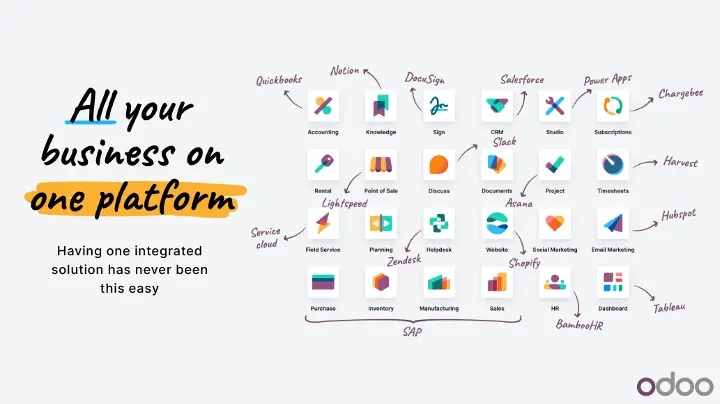
Odoo ERP is an integrated business management platform that brings different business functions into one system. It includes applications for accounting, sales, CRM, inventory,…
A comparison of Odoo Online, Odoo.sh and self hosting on the questions that matter: customisation, upgrades, control and responsibility.